What a beat is
A beat is one screen the reel holds before moving on. The storyboard along the bottom is the reel in order; the card you are standing on is the one the stage is showing.
Every beat draws from one shared pool of pieces. Adding a piece while standing on beat 3 puts it in the pool and shows it on beat 3. Showing it again on beat 5 — from the beat panel — is what makes the reel move rather than cut.
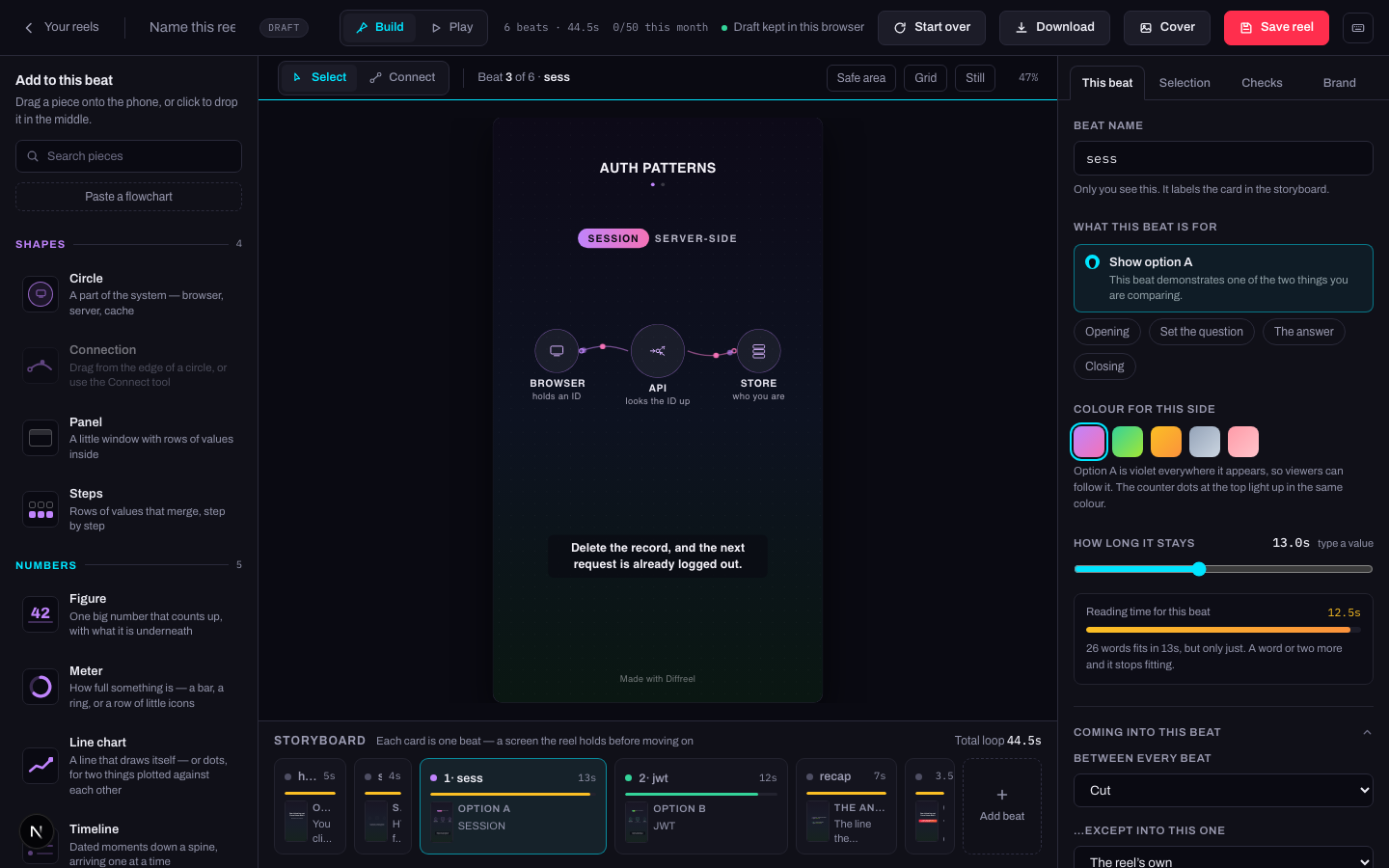
What a beat is for
Five roles. The role is not decoration — it decides where the beat may sit and what the checks expect of it.
| Role | What it is for |
|---|---|
| Opening | The line that stops the scroll. Always the first beat. |
| Set the question | What both sides are answering, before either answers it. |
| Show an option | This beat demonstrates one of the two things you are comparing. |
| The answer | The line the opening has been waiting for. |
| Closing | The last thing said. Always the final beat. |
How long a beat holds
Set it with the slider, or press type a value to enter a number. Under it is a reading-time bar: it counts the words on the beat and says whether they fit in the seconds you gave it.
- Amber or red means the words do not fit. Give the beat longer, or say less.
- A beat with no words still needs long enough to be seen — about two seconds is the floor for anything animated.
- The total at the right of the storyboard is the whole loop. Around 30–60 seconds is where most reels land.
Changing a beat's length
- What changes
- The reel's total running time, and where every later beat starts.
- Who sees it
- Anyone who watches it after your next save.
- When to do it
- The reading-time bar says the words do not fit, or a beat feels rushed when you watch it in Play.
- How to undo it
- Drag it back, or ⌘Z. Nothing else about the beat moves with it.
Adding, reordering and removing
Add
Add beat at the end of the storyboard. You are offered a set of ready-made beats — a recap row, two options side by side, a run of dates, one big number — or an empty one.
Reorder
Drag a card along the storyboard. The opening and closing beats stay at their ends.
Remove
From the beat panel. The pieces the beat was showing stay in the pool — removing a beat removes a screen, not your work.
Removing a beat
- What changes
- One screen goes. Every piece it showed stays in the reel and is still available to every other beat.
- Who sees it
- Only you, until you save.
- When to do it
- The beat says the same thing as its neighbour, or the reel runs long.
- How to undo it
- ⌘Z, or walk back to it in History — which names the change, so you can find it after ten other edits.
Getting from one beat to the next
At the bottom of the beat panel, Coming into this beat sets how the reel arrives here. There is a reel-wide default and a per-beat override.
| Transition | What it looks like |
|---|---|
| Cut | Straight there. The default, and right most of the time. |
| Fade | One dissolves into the other. |
| Wipe | The new beat sweeps across. |
| Iris | The new beat opens out from the middle. |
Beside it, a camera mark: whether the frame sits wide, or moves in on the middle, the left, the right, the top or the bottom. Use it once in a reel, on the beat that earns it.